

Online Journalism: What You Need to Know
On the surface, online journalism can appear daunting. There are billions of blogs and sites on the web with millions of new posts being added daily. Regardless of whether or not you’re posting content online as a freelance journalist, to spread and expand your portfolio, or as work, the most challenging aspect of online journalism is creating something which can stand out from the mess of content that is the internet.
Thankfully, the internet is no longer new and the tools exist to make that easier, if you know how to take advantage.
WordPress, Twitter, YouTube, Blogger, Storify, and Flikr are just some of the many tools freely available that can help online journalists create, publish, and promote content. No longer is it necessary to have an in-depth knowledge of HTML and CSS in order to have immersive web content—the modern tools at our disposal now are capable of handling most work automatically or semi automatically, while working in conjunction with each other.
Still though, simply having a good article is not enough.

Smart content
Multimedia is no longer an added benefit of good online journalism, it is a prerequisite.
As computers became more powerful their capabilities increased. Large images and embedded videos once difficult to publish can now be done in seconds. Pictures and video will help to engage potential readers on both mobile and traditional web browsers.
Not all sites make use of media equally.
Some traditional news sites such as The Globe and Mail use print styled articles. Globe stories tend to have a picture near the top that can be enlarged, followed by a page of text. They rarely have extra pictures or videos within individual stories, but along the sides and sometimes in the middle of their pages they have links to other content on their site.
The Globe’s formatting is interesting for a few reasons. On a traditional browser, the abundance of picture links to unrelated content be distracting and overwhelming. Yet on mobile those links disappear—save for a few basic links at the end of the story—giving the mobile reader clear and simple text to scroll through. For some, long stories with the same text throughout can be difficult to read without suffering eye strain or getting lost. They provide options to increase text size, but that’s it.
The Huffington Post has some of the best online news stories in the game. Unlike the Globe and Mail, The Huffington Post was created for the internet. The precise layout of their work varies a lot depending on subject matter, but their stories are filled with links to external and internal sources, are broken down with headers, and are rich in media content.
Depending on the story and you’re media, your publishing layout may vary. Consistency however can help build your blog’s brand, and according to Liz Lawson at Register Media, “choosing consistent elements such as the same type of photography, layout, graphic elements for your website…will further reinforce your brand, and just makes a whole lot of sense.”
That said, larger projects sometimes warrant a larger stage. Take for example the New York Times. Their day to day posts online differ from what’s printed, offering a consistent rich online—and mobile—reading experience.
Then there’s Snowfall.
Snowfall was an investigation by the NYT spanning six months covering the avalanche in Tunnel Creek that killed three skiers on February 19th, 2012. It was published in December of 2012, and was hosted with a plethora of interactive maps, videos, and audio clips that play as you scroll down the story, concluding with a ten minute video doc at the end. Reading the story is an immersive experience, and a shining example of what online journalism can be.
Snowfall also landed author John Branch the 2013 Pulitzer Prize for feature writing.
Proper Designs
Two of the most popular blog hosting sites—WordPress and Blogger—contain hundreds of different layout combinations that you can use and manipulate with little to no knowledge of HTML and CSS. Also, both contain further themes can be purchased through their sites. There are also third party websites that sell pre-made HTML/CSS themes which you can buy and use.
Of course—for those that are technically inclined—you can create your own site from scratch or with aid of HTML software such as Dreamweaver. Starting from scratch can be a difficult and long process, but the possibilities are endless.
For many, a simple and clean layout available for free will suffice. According to Design Your Way “in a clean web site it is easier to find the important content, navigation bar, social media icons and other elements that must be recognized.”
A paid theme is not necessary, but it may help your site stand out.
Know the Platforms
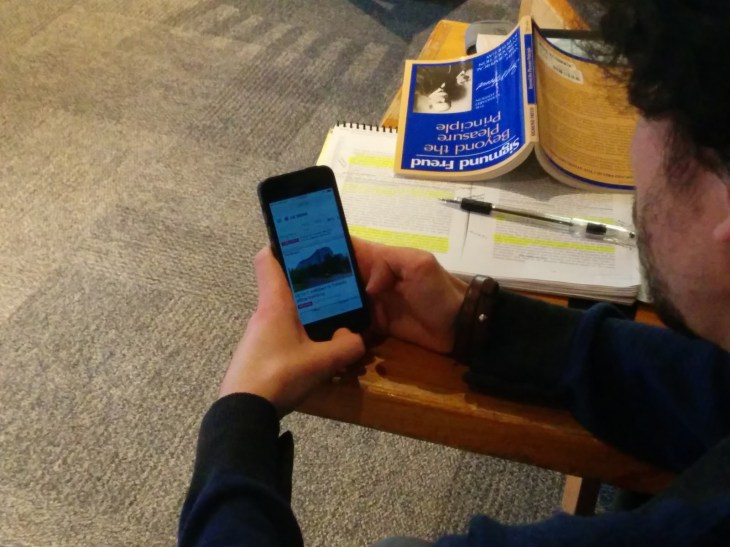
Content needs to be mobile friendly.
People consume content on the go using their phones or tablets. Andrea Caumont of the Pew Research Center states that “64% of tablet owners and 62% of smartphone owners said they got news on their devices in 2012. 73% of tablet owners read in-depth articles at least sometimes, including 19% who did so daily. 61% of smartphone news consumers at least sometimes read longer stories, 11% regularly.”
Furthermore, according to Google Mobile Ads Marketing, 61% of mobile users will be more likely to leave your site if it’s not mobile friendly. Thankfully both Blogger and WordPress offer automatic conversion to mobile.
That said, heavy multimedia pages can be difficult to navigate on a 4” screen. Mobile is one of the key reasons why clean and simple themes are ideal: while high definition pictures and background videos may look incredible on an iMac, that same page if converted directly to mobile might cripple and iPhone, if it loads at all. Simplicity will lead to cleaner layouts and faster load times on phones.
Using popular media embedding formats such as YouTube or Flickr is not only often quicker to input, it carries the added benefit of having accompanying apps on most mobile devices, making mobile viewing more enjoyable.
Analytics and Promotion
Google benefits from your success through the use of their search engine and their ads, so they provide you tools to help create that success.
The most crucial tool they offer online journalists is Google Analytics. Among other things, Analytics allows you to view what key words and phrases people search in given regions. As an online journalist this tool is key for determining what to name your stories, and what to use as headers.
Search engines are designed to read HTML. When you insert headers into your stories it does more than increase legibility, it inserts little tags into your HTML source code. When people search, Google scans the web for content that is relevant to the searcher based upon their history, interests, and HTML key tags. Strategically naming and tagging your story can help shoot your page up Google’s results list.
WordPress and Blogger both have built features that allow you track who views your page. Google Analytics plug-ins can be had for WordPress to unlock even more stats. Blogger—a Google subsidiary—can unlock Analytics simply with an analytics (Google) account.
After your page is created, the advertising starts. Online, the more social media outlets in which you’re active the better. Linking your posts to your twitter, Facebook, Google+, or any other outlet you use is key.
Yet, it takes more than simply copy and pasting a link with your title.
Consider linking to your page through a headline or lead to lure readers in. On Twitter—where you’re limited to 140 characters—try to pull readers in emotionally while using a tool such as Bitly to shorten your link, allowing for more space. Another tool you may consider using is ScoopIt, as it is an easy one click way to share your stories not only on their web space, but to all your other social media accounts too.
Hosting
A very easy way to increase your site’s credibility is to have a proper domain. Many professional news sites—such as the Vancouver Sun—are powered by WordPress, but you do not see “wordpress.com/….” in the domain.
Prices vary, but unless your first name is “Dodge” it likely wouldn’t be too expensive buy a personalized domain. WordPress and Blogger both have simple guides to use your domain once you purchase it.
One way to consider offsetting the costs of domain hosting is advertising. Google AdSense allows you to import some HTML into your blog that carries ads powered by Google. Google then pays you a cut of their revenue based off ad clicks, page views, and view length. AdSense is a relatively native feature in Blogger, and another simple plug-in for WordPress.
It is worth noting that you need reach a certain level popularity before AdSense will accept your site. A rarely viewed class blog such as this one doesn’t cut Google’s requirements.
Individual Choice
The strategy you use for conducting journalism online is ultimately up to yourself. The internet is an overwhelming place. Breaking through the pack is difficult, but the tools exist to make it happen. Knowing your audience, your skills, and most importantly having good content to post will be key to any success online.
Most importantly though, update your page frequently. A website with three posts a year will not be viewed by internet as a very reputable source, even if the content is academic dissertations.


 Jesse Laufer